Pinterest Bulk Upload CSV: Hidden Limits, Fixes & Template
Bulk upload Pinterest Pins with a CSV that works. Learn the required format, duplicate-URL workaround, hidden limits, and common upload fixes.
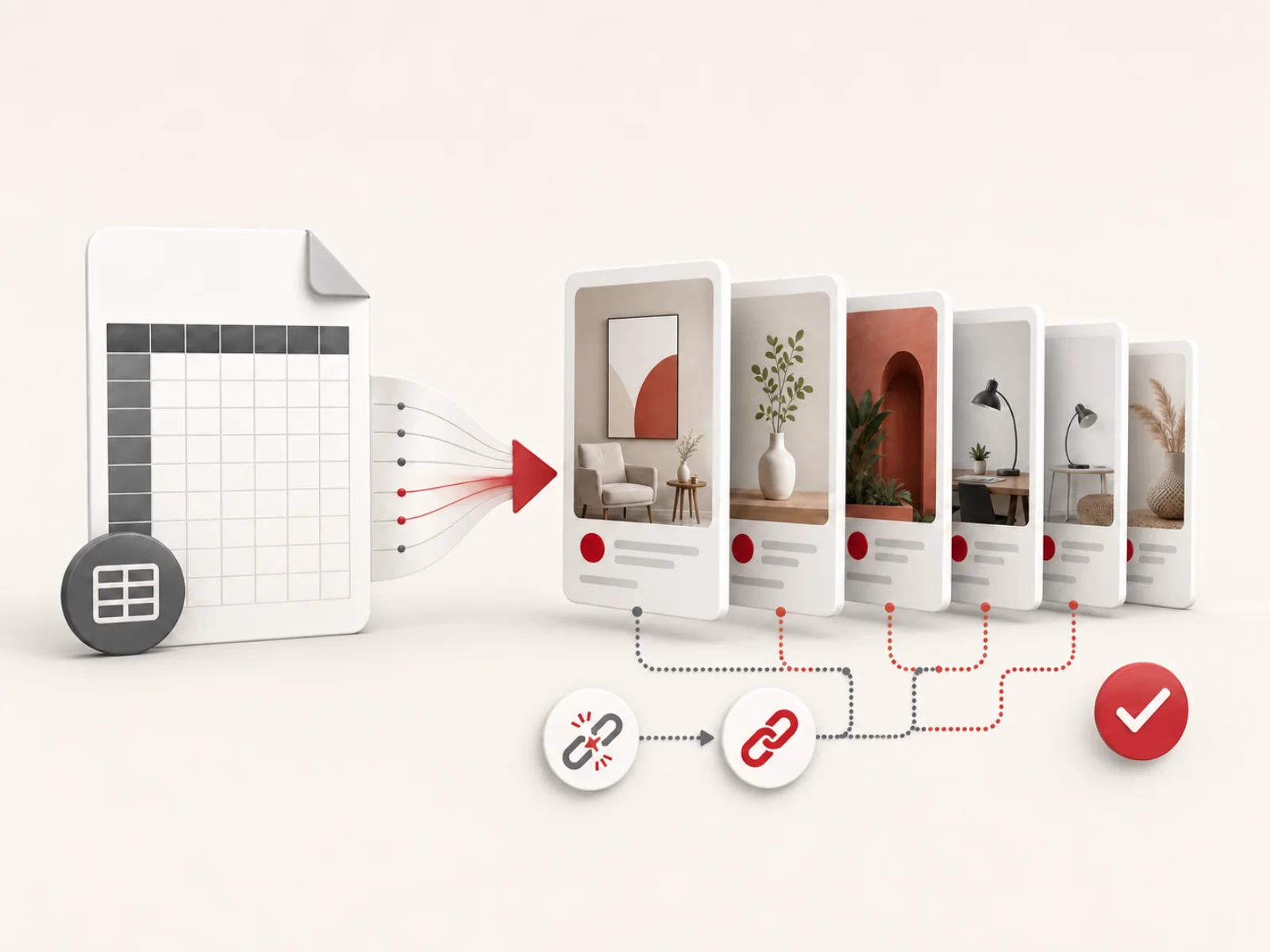
Pinterest says you can upload up to 200 images or videos at one time with a CSV. The frustrating version is uploading dozens of valid-looking rows and watching Pinterest create exactly one Pin—with no useful explanation for the missing rows.
A repeatedly reported cause is surprisingly simple: several rows use the same destination URL.
In the workflow tested myself, rows after the first were skipped when they shared a destination URL. After each row received a meaningful, unique utm_content value, the batch worked. Community reports describe the same result. Pinterest does not document or guarantee this behavior, and its own sample file even repeats a Link.
That is only one of the traps. A media link that opens for you may be inaccessible to Pinterest. A valid-looking date may publish at the wrong time. One unquoted comma can shift an entire row into the wrong columns.
Quick answer: Start from Pinterest's official eight-column sample layout. If multiple rows share the same destination Link, give only those rows unique
utm_contentvalues. Use permanent direct media URLs, write distinct titles, export scheduled times in UTC, and test 5–10 rows before uploading a larger batch.
Is CSV the best way to bulk upload Pins to Pinterest?
For most businesses that want to prepare and schedule a finite batch of Pins, CSV is the best free, native option. It lets you create the titles, descriptions, media links, boards, destination links, and publish times in a spreadsheet instead of building every Pin by hand.
CSV is especially useful when you:
- Have dozens of finished images or videos
- Want to send several Pins to the same article or product page
- Manage content in Google Sheets, Excel, Airtable, or another database
- Need a repeatable review and approval process
- Want to schedule a campaign without paying for a third-party scheduler
It is not always the best choice for continuous, hands-off publishing. An approved API integration, RSS feed, or scheduling platform may be more suitable for an always-on catalog. But for controlled batches, CSV offers the best balance of speed, visibility, and cost. It is free and very easy to customize.
The official Pinterest CSV format
Pinterest's bulk upload guide currently requires a business account and a desktop browser. The safest starting point is the exact headers from Pinterest's sample:
Title,Media URL,Pinterest board,Thumbnail,Description,Link,Publish date,Keywords
Pinterest documents these eight column names, and their order does not matter during upload. For the lowest compatibility risk, keep all eight columns, even when an optional field is blank.
| Column | Required? | What to enter |
|---|---|---|
Title | Yes | A clear Pin title of no more than 100 characters. |
Media URL | Yes | A public, direct URL to the image or video file—not a local path or sharing page. |
Pinterest board | Yes | A board title or slug. Use Board/Section for a section; It will create one that does not exist. |
Thumbnail | Video only | A point in the video such as 2 or 0:02, or a public image URL with the same aspect ratio. Leave blank for images. |
Description | No | Helpful context of no more than 500 characters. |
Link | No | The page someone should visit after clicking the Pin. |
Publish date | No | Leave blank to publish immediately, or enter a future date or UTC timestamp. In observed behavior, a past value also publishes immediately. |
Keywords | No | Relevant search terms separated by commas inside one properly quoted CSV cell. |
Pinterest may create a board or section if the value does not already exist. That is convenient, but remember that it turns a typo into an unwanted new board too.
Use Pinterest's official sample CSV as a schema reference, not as a known-good test file. Its both rows used the same destination Link(In reality, the second row will be skipped). Replace the sample data rather than uploading it unchanged.
Where to upload the CSV
- Sign in to a Pinterest business account on a desktop browser.
- Click top right down arrow, Import content, in Upload .csv or .txt file frame, click Upload, then click under Upload .csv file
- Choose the
.csvfile, submit it, and wait for success notification on the web and Pinterest's email notification.
An accepted file is not the final check. Compare the number of rows submitted with the number of Pins actually created or scheduled. Usually Pinterest email notification will show you the failed rows.
Use the organic Import content screen, not Ads → Bulk Editor. They are different systems with different CSV schemas and error messages.
A copyable Pinterest bulk upload CSV template
The example below includes two image Pins and one video Pin that lead to the same article. Notice that every title, Media URL, and full Link is different. Replace every example.com value before uploading it.
Title,Media URL,Pinterest board,Thumbnail,Description,Link,Publish date,Keywords
"Small Kitchen Storage Ideas That Free Up Counter Space","https://cdn.example.com/pins/kitchen-storage-01.jpg","Small Kitchen Ideas",,"Try these small kitchen storage ideas to clear your counters and make awkward cabinets more useful.","https://example.com/small-kitchen-storage?utm_content=pin1",,"small kitchen storage,small kitchen ideas"
"7 Renter-Friendly Storage Ideas for a Small Kitchen","https://cdn.example.com/pins/kitchen-storage-02.jpg","Small Kitchen Ideas",,"These renter-friendly organizers add useful storage without a permanent renovation.","https://example.com/small-kitchen-storage?utm_content=pin2",,"renter friendly kitchen,small space storage"
"How to Organize a Small Kitchen Cabinet","https://cdn.example.com/pins/kitchen-cabinet-demo.mp4","Small Kitchen Ideas",2,"Watch a simple cabinet reset that makes everyday pans and pantry items easier to reach.","https://example.com/small-kitchen-storage?utm_content=pin3",,"kitchen cabinet organization,small kitchen storage"
This is a structural template, not a live test file: the example media URLs do not exist. Your own Media URL values must point to real, public files.
Why a Pinterest CSV may upload only the first Pin
This is the most important undocumented behavior in the workflow.
Imagine that you create ten different graphics for one blog post. The image URLs and titles are unique, but all ten rows use this Link:
https://example.com/small-kitchen-storage
The CSV can look perfect and still produce only the first Pin.
This is not a published Pinterest rule, so it should be treated as a field-tested importer constraint rather than an official guarantee. The workaround is simple: make each non-empty Link value unique within the CSV.
The practical fix: add utm_content only to repeated Links
When do you need
utm_content? Only when two or more rows use the same destination URL. If a Link appears once in the CSV, leave it unchanged. For a repeated URL, add a differentutm_content=pinNvalue to every row in that group, including the first row.
Keep the landing page the same, but make each repeated full URL unique:
https://example.com/small-kitchen-storage?utm_content=pin1

https://example.com/small-kitchen-storage?utm_content=pin2

https://example.com/small-kitchen-storage?utm_content=pin3
The short utm_content=pinN parameter is enough for the duplicate-Link workaround. Other UTM parameters are optional and only needed if you want additional campaign tracking. Combined with the landing URL, utm_content gives each Pin in the repeated group a stable identity.
For a clean URL, start the parameter with ?:
https://example.com/article?utm_content=pin4
If the destination URL already has a query string, append &utm_content=pin4, not a second ?:
https://example.com/article?ref=homepage&utm_content=pin4
Use a query parameter rather than a #fragment. A fragment is not sent to the server, is less useful for analytics, and may not survive every redirect or processing step.
Normalize the URLs before adding UTMs
Small inconsistencies can hide real duplicates. Before assigning a unique value to each Pin:
- Trim leading and trailing spaces.
- Choose one version of the landing URL, with or without a trailing slash.
- Remove unnecessary fragments such as
#top. - Preserve query parameters that the page genuinely needs.
- Do not blindly lowercase the path; paths can be case-sensitive.
- Assign one stable
utm_contentID to every row in a repeated-destination group, including the first occurrence.
If a Pin does not need to send visitors to a webpage, leave Link blank instead of inventing a URL. The field is optional.
A Media URL is not the same as a Link
These two columns are easy to confuse:
Media URLis the image or video Pinterest must download.Linkis the optional webpage a visitor opens after clicking the Pin.
The Media URL must lead to the file itself. A public share page from a cloud-storage service is often an HTML page with a preview, login check, cookie prompt, or temporary redirect. It may open in your browser and still fail when Pinterest tries to fetch it. in a nutshell, Media URL should be the public image url path, not the url page that contain the image.
Use media links that are public, direct, and permanent
Before uploading the CSV, test every Media URL:
- Open it in a private or incognito window where you are not signed in.
- Confirm that the image or video itself loads, not a download page or preview page.
- Make sure the server returns a successful response and the correct image or video content type.
- Avoid URLs that require cookies, passwords, tokens, or an active session.
- Avoid signed links that can expire before Pinterest completes import processing. Pinterest does not document exactly when scheduled media is fetched, so keeping the URL live until publication is a conservative precaution.
- Check that hotlink protection and bot protection do not block Pinterest.
A successful spreadsheet or content-export message does not prove that every Media URL cell is populated. Inspect the final CSV and test each required media link.
Pinterest documents an image proxy for third-party images. Although the bulk-upload guide does not identify the exact fetcher used for CSV imports, follow Pinterest's image proxy guidance and make sure your CDN does not block Pinterest's documented proxy or crawler.
A durable HTTPS URL from a website media library, CDN, or object-storage bucket is usually safer than a consumer file-sharing link. Never use a local path such as:
/Users/name/Desktop/pin.jpg
C:\Images\pin.jpg
file:///Users/name/Desktop/pin.jpg
Pinterest cannot access files stored only on your local computer.
Use conservative media formats
For the widest compatibility, use JPEG or PNG for images and MP4/H.264 for video, while Webp is supported without any issue.
For a video row, do not leave Thumbnail blank. Use a clean mm:ss value, an integer number of seconds, or a public thumbnail URL with the same aspect ratio as the video.
Avoid duplicate titles, media, and near-identical Pins
The destination Link is not the only field worth checking for duplicates.
Pinterest officially requires titles to be 100 characters or fewer. In practice, duplicate titles can behave like duplicate Links: Pinterest uploads the first matching row and skips the rest. This is not a documented rule, so the safest approach is to make every title unique.
A reliable standard is:
- Give every Pin a non-empty, genuinely different title that naturally includes its target keyword.
- Keep titles at 90 characters or fewer to leave a safety margin.
- Do not create fake uniqueness with
Part 1,Part 2, or random numbers. - Use the main search phrase naturally; do not repeat it mechanically.
- Keep descriptions useful and well below the 500-character maximum; around 250 characters is a practical concise target.
- Vary the image, title, and opening of the description when several Pins lead to one page.
For example, these titles can all support the same article without competing for exactly the same intent:
- Small Kitchen Storage Ideas That Free Up Counter Space
- Renter-Friendly Organizers for a Tiny Kitchen
- How to Use the Space Above Kitchen Cabinets
- A Simple Under-Sink Storage Reset
The Keywords field is optional. Use a concise set of relevant terms rather than dumping in every variation you can find. Because those terms contain commas, the entire field must be enclosed in double quotes.
Schedule Pinterest CSV rows in UTC
The Publish date field is optional:
- Leave it blank to publish as soon as Pinterest processes the row.
- In practice, Pinterest does not skip a Pin with a past publish date or timestamp—it publishes the Pin immediately.
- Use
YYYY-MM-DDto choose a future date. - Use
YYYY-MM-DDTHH:MM:SSto choose a specific time.
Pinterest says specified times must be in UTC. For example:
2026-08-01T14:30:00
Do not paste a local time into that format unless your local time zone is UTC. Convert the intended local publishing time first, and check the date rollover as well as the hour. Daylight-saving changes make this especially important for North American and European schedules.
Past-date tip: Pinterest's official guide documents future timestamps for scheduling and a blank field for immediate publication. It does not explain past dates. In practical use, a past
Publish dateis treated as already due and publishes immediately after processing. If you meant to schedule the Pin, compare the exported timestamp with the current UTC time and make sure it is still in the future.
A date without a time is less precise: Pinterest says it publishes at the same time of day at which the CSV was uploaded. Full UTC timestamps make the result easier to predict.
Staggering rows also makes batches easier to audit. A 30-minute interval is a practical starting point, not a Pinterest requirement.
Prevent CSV formatting errors
A CSV is plain text with strict rules. It is not the same thing as renaming an Excel file from .xlsx to .csv.
The easiest approach is to prepare the rows in Google Sheets or Excel and use the application's CSV export. A proper CSV writer will handle most escaping automatically.
Quote fields that contain commas, quotes, or line breaks
This value must occupy one cell:
small kitchen storage,small kitchen ideas
In the CSV file it should appear as:
"small kitchen storage,small kitchen ideas"
If a value contains a double quote, escape it by doubling the quote:
"The designer called it a ""five-minute fix"" for small kitchens."
For the most predictable file:
- Preserve the official sample's eight headers; their order does not matter.
- Leave unused optional cells blank instead of removing columns.
- Trim accidental outer whitespace from cells before export.
- Avoid manual line breaks inside titles and descriptions when possible.
- Inspect the final file in a spreadsheet and a plain-text editor.
One unquoted comma in a description or keyword list can shift every later value into the wrong column. That can turn a valid Media URL into a board name or a publish date into a keyword without making the damage obvious.
You can upload 200 Pins, but smaller CSVs are easier to fix
Pinterest allows up to 200 images or videos in one CSV. You can use the full limit, but a smaller file is much easier to handle when Pinterest skips duplicate Links or an upload fails.
For large uploads, split the rows into CSV files of 50–100 Pins. Add unique utm_content values only to repeated destination URLs before splitting, repeat the header in every file, and upload one file at a time.
If something goes wrong, you only need to inspect and retry the affected file instead of diagnosing all 200 rows. The smaller batch size is a practical safeguard, not an official Pinterest limit.
The reliable Pinterest bulk upload workflow
Follow this order to reduce rework:
- Finish and host the media. Use a supported image/video format, upload it to durable public storage, and test the direct URL while signed out.
- Create one row per Pin. Start from the official sample layout. Fill every required Title, Media URL, and Pinterest board cell; add a Thumbnail for video.
- Normalize destination URLs. Use the final public page—not a draft, editor, preview, or temporary URL. Remove accidental spaces, fragments, and inconsistent trailing slashes while preserving parameters the page needs.
- Fix repeated destination Links. When multiple rows share a URL, assign a different
utm_contentID to every row in that group. Leave already unique Links unchanged. - Check content uniqueness. Look for repeated titles, descriptions, media files, and near-identical creatives. Keep titles under 100 characters and descriptions under 500.
- Validate boards and dates. Copy exact board or
Board/Sectionnames from Pinterest and convert scheduled times to full UTC timestamps. - Export a real CSV. Let a proper exporter escape commas and quotes, then inspect the first row, last row, and rows containing punctuation.
- Upload a 5–10-row test. Use Settings → Import content on desktop and submit the file through the file chooser.
- Verify the result. Compare the expected count with the Pins actually created or scheduled. Open several Pins and test their media, board, Link, and publish time.
- Scale up and preserve each batch. Upload the remaining 50–100-row files one at a time and keep the exact submitted CSV for recovery.
Pinterest bulk upload not working? Match the symptom to the fix
| Symptom | Likely cause | What to do |
|---|---|---|
| Only the first Pin publishes | Several rows share the same full destination Link | Add a different utm_content value to every row in that repeated-URL group, then retry only the missing rows. |
| Only the first row with a repeated title publishes | Multiple rows use the same Title | Rewrite each title so it is genuinely unique, then retry the skipped rows. |
| “File didn't upload correctly” | Wrong headers, broken quoting, wrong file type, encoding trouble, or a browser issue | Test a tiny file with the exact headers; export fresh UTF-8 CSV; use the file picker; try private mode or another current browser. |
| “Failed to download image/video” | Media URL is a sharing page, private file, expired URL, blocked request, or unsupported asset | Replace it with a permanent direct file URL and test it while signed out. |
| Some valid-looking rows are missing | Duplicate Link or Title, invalid date, unreachable media, or a transient import failure | Compare row IDs, isolate the missing rows, and retry them in a smaller file. |
| Pins publish at the wrong hour | Local time was entered as though it were UTC | Convert each intended local time to UTC before export. |
| A scheduled Pin publishes immediately | The exported Publish date is already in the past, often because of a UTC conversion or date-rollover mistake | Compare the value with the current UTC time and replace it with a future UTC timestamp. |
| A new or misspelled board appears | The board or section value did not match an existing name | Correct the value; Pinterest may auto-create names it cannot find. |
| A video row fails while image rows work | Missing or invalid Thumbnail, inaccessible MP4, or encoding issue | Add a valid second or mm:ss thumbnail value, test the MP4 URL, and use a conservative codec. |
| Media download fails intermittently | The URL expired or the CDN denied Pinterest while the row was being processed | Move the asset to stable public storage, test access again, and retry the missing row. |
| A retry creates duplicates | The entire original batch was submitted again | Export and upload only rows that are genuinely missing. |
If a minimal known-good file still fails, the problem may be account- or platform-side. Save the test file, the upload time, screenshots, and the confirmation email before contacting Pinterest Support.
How to recover from a partial upload safely
Partial success is where a little bookkeeping saves the most time.
- Keep the exact original CSV.
- For rows that share a destination, identify each Pin by its normalized URL plus
utm_content. A row whose Link is already unique does not need this parameter. - Mark every row that actually published or scheduled.
- Copy only missing rows into a new recovery file.
- Preserve their original titles, URLs, UTM IDs, and intended dates.
- Test the Media URLs again immediately before retrying.
- Upload the recovery file as a small batch.
Do not regenerate all UTM numbers or resubmit every row. Within each destination group, preserve every existing unique pinN value. If an ID is missing or duplicated, start after that group's highest existing number and change only the conflicting rows. Stable IDs let you distinguish a retry from a new creative, and a missing-only file reduces the chance of duplicate Pins.
Final preflight checklist
Before every Pinterest CSV upload, confirm that:
- The file uses the exact eight headers.
- Every row has a Title, Media URL, and Pinterest board.
- Every video row has a valid Thumbnail value.
- Titles are unique and no longer than 100 characters.
- Descriptions are no longer than 500 characters.
- Every Media URL opens directly while signed out.
- Media URLs will remain valid through import processing; keeping them live until publication is an extra precaution because Pinterest does not document fetch timing.
- If multiple rows share a destination URL, each row in that group has a unique
utm_contentvalue; Links that appear once are unchanged. - Existing query parameters are preserved correctly.
- Every
utm_contentID is stable and unique within its destination group. - Board and section names exactly match the intended destinations.
- Scheduled timestamps use UTC and are still in the future after conversion.
- Fields containing commas or quotes are correctly escaped.
- The file is a genuine CSV export, preferably UTF-8—not an XLSX file renamed
.csv. - After processing, compare the number of CSV rows with the number of Pins Pinterest actually created.
Frequently asked questions
Can you bulk upload Pins to Pinterest?
Yes. A Pinterest business account can use the desktop Import content tool to upload a CSV containing up to 200 images or videos at one time.
What is the correct Pinterest CSV format?
Pinterest documents these eight column names. Their order does not matter, but the safest format is to preserve the optional columns used in its official sample:
Title,Media URL,Pinterest board,Thumbnail,Description,Link,Publish date,Keywords
Title, Media URL, and Pinterest board are required. Thumbnail is also required for a video.
Why does my Pinterest CSV upload only the first row?
Duplicate Links and duplicate Titles can both cause Pinterest to create only the first matching row and silently skip the rest. For repeated Links, add a different value such as utm_content=pin1, pin2, and pin3 to each row in that group. For repeated Titles, rewrite every title so it is genuinely unique. These behaviors are observed in practice but are not documented as official Pinterest rules.
Can multiple Pinterest Pins link to the same page?
Yes, multiple Pins can generally lead to the same landing page. However, repeated literal Link values inside one CSV are reported to cause silent skips. Genuinely different creatives can use distinct tracked URLs—such as unique utm_content values that resolve to the same page. This is an empirical workaround, not a Pinterest-published guarantee.
Why can't Pinterest download my image or video?
The Media URL may lead to a preview page, require authentication, expire, or block Pinterest's fetcher. Use a permanent direct HTTPS link to the file and test it in a private browser window.
Can a Pinterest bulk upload CSV schedule Pins?
Yes. Leave Publish date blank for immediate publication, or use a future date or full timestamp. Pinterest requires specified times to be in UTC. A full YYYY-MM-DDTHH:MM:SS value is more predictable than a date alone. In observed behavior, a past Publish date is treated as already due and publishes immediately rather than skipp the Pins.
How many rows should one Pinterest CSV contain?
Pinterest publishes a limit of up to 200 images or videos at one time. In practice, use 50–100-row working batches so that any failure is easier to diagnose. The smaller batch size is a reliability practice, not an official limit.
Does CSV bulk uploading reduce Pinterest reach?
No. Pinterest does not have a ranking penalty for using its own CSV importer. In my experience, bulk-uploaded Pins perform just as well as manually published Pins.